PHP Reservation Platform
The scope of the application
I want to make a simple reservation platform, where users create accounts then simply select a date and reserve. For this project I will use the LAMP tech stack.
- L -> Linux.
- A -> Apache for the server hosting.
- M -> MySQL for the database of the application.
- P -> PHP for the server side code.
Use case diagram
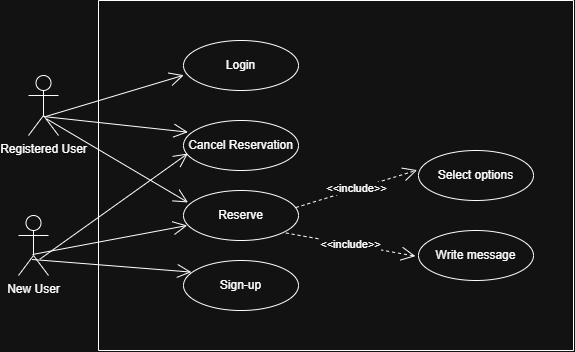
- A simple use case diagram of the web app can be seen below
Sign up process
A user should be able to sign-up using a username and a password. No email use because I want the process to be quick and painless.
The PHP code that makes this possible is the following:
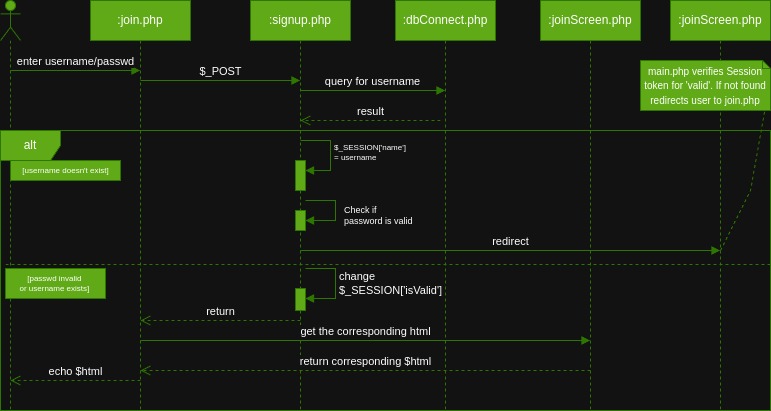
The sequence diagram of the sign up process
-
isUserValid() : bool function
First, the database is called.
require "dbConnect.php";
$db = getDB();
query is then done to find the `$_POST["name"]` in the database not found, returns true and puts the username value `$_SESSION['name'] = $username;` else returns false. -
isPasswdValid(): bool
Checks if the “enter password” and “re-enter password” got the same input
-
insertUser(name, passwd): bool
Gets a connection to the database, then executes the following query:
$query = "INSERT INTO users (name, passwd) VALUES ('$name', '$passwd')";
How does a user reserve a day and hour?
At entering the main.php, a table is generated with the avalaible hours this week.
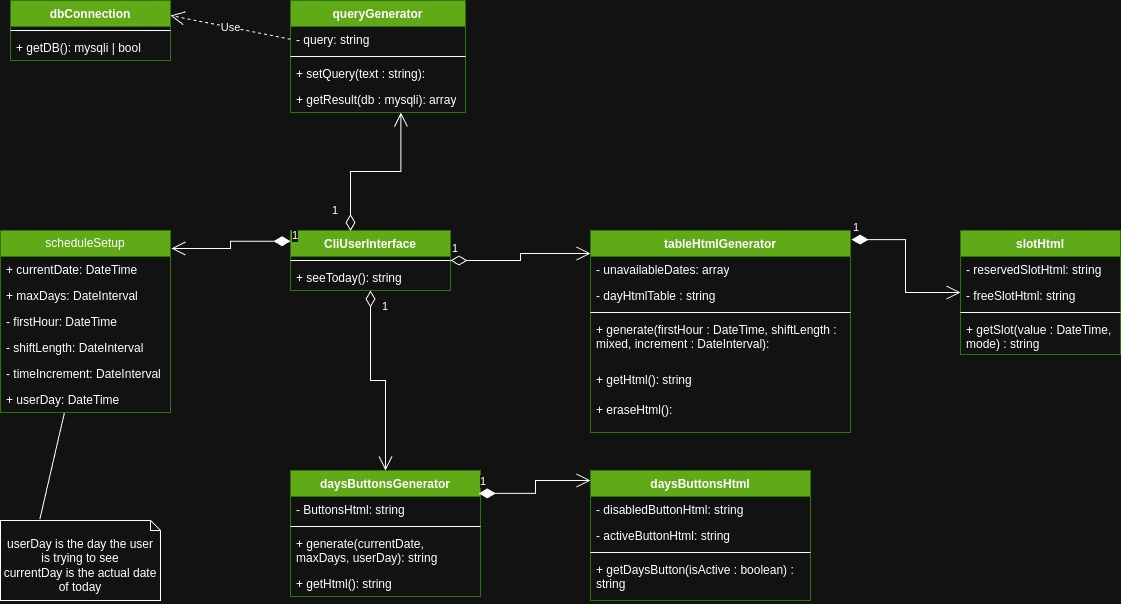
Classes diagrams for the main.php file
- In the main.php, a
CliUserInterfaceobject is created that can generate a day’s worth page. When navigating to different dates, thescheduleSetupproperty of the class is modified and another object is created. - Classes that have ‘Html’ in their name are just simple html catalogues. They contain the html code for the ‘Generators’ classes to use. ‘Html’ classes don’t implement any logic.
- The ‘Generators’ classes implement the actual logic of selecting the needed html code for the situation.
User’s reservations page
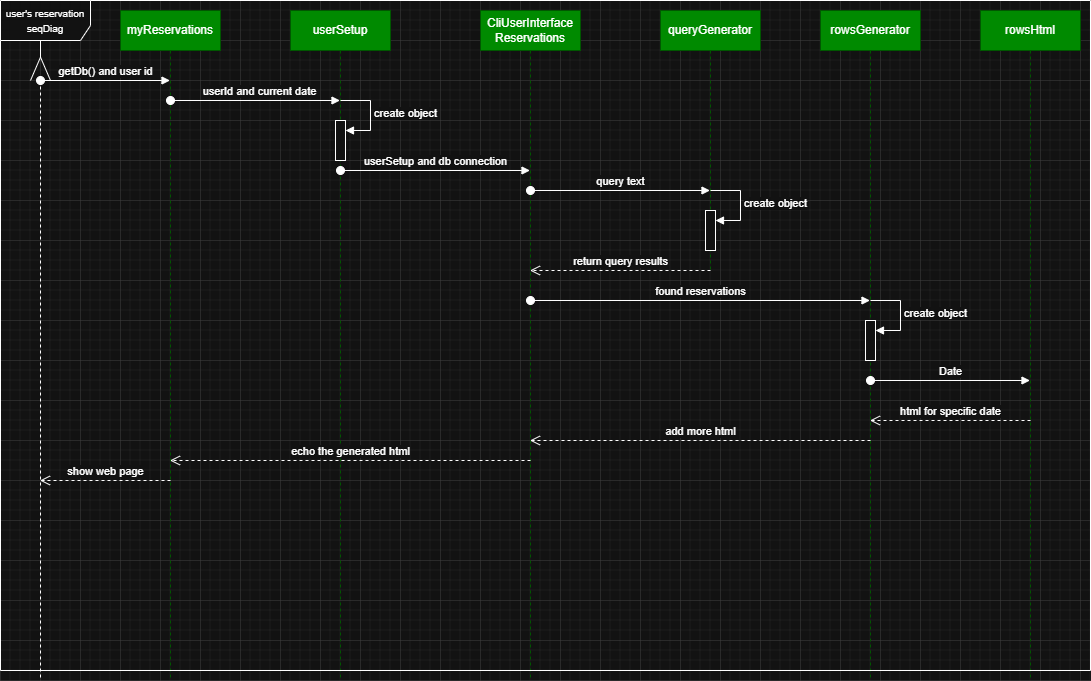
The following is the sequence diagram of the process of generating the user’s reservations on myReservations.php web page.
-
The diagram doesn’t include the process of canceling an appointment, as it is fairly simple:
-
The future reservations are generated as a form which upon submition thorugh the
Cancel reservationbutton will delete the reservation from the database. -
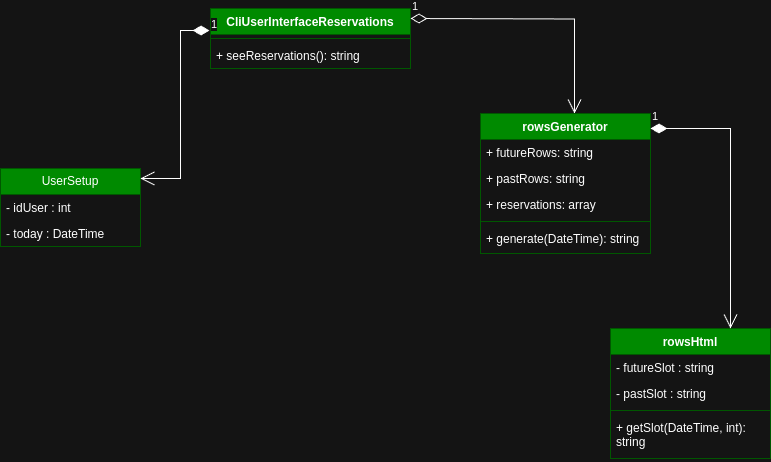
Also, the class diagram of the Reservation looks like this:
Database
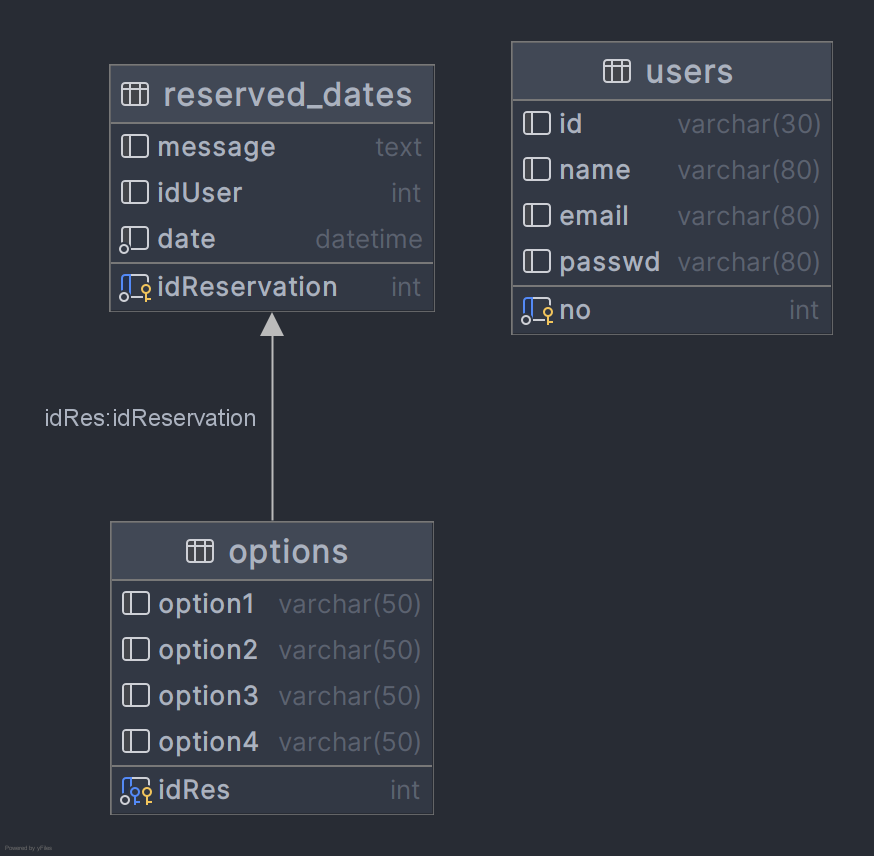
- The database is quite simple, with three tables as in the figure below:
- Note that the
emailfield from theuserstable is currently not used. - Also, to add more
optionin theoptionstable, one can simply add another field to the table and then add a html code for it in the respective php file. - For the
optionstable, if the correspondingreserved_datesrow is deleted, the correspondingoptionsrow is deleted too.
The code
- The code can be found on my github
T.